
The hidden cost of slow follow-up
Inquiries pile up in inboxes, spreadsheets, and chat threads. Without ownership and a deadline, promising leads go cold before anyone notices.
Lead Rescue
Flowlange Lead Rescue helps you capture, assign, and track every inquiry before it gets forgotten.
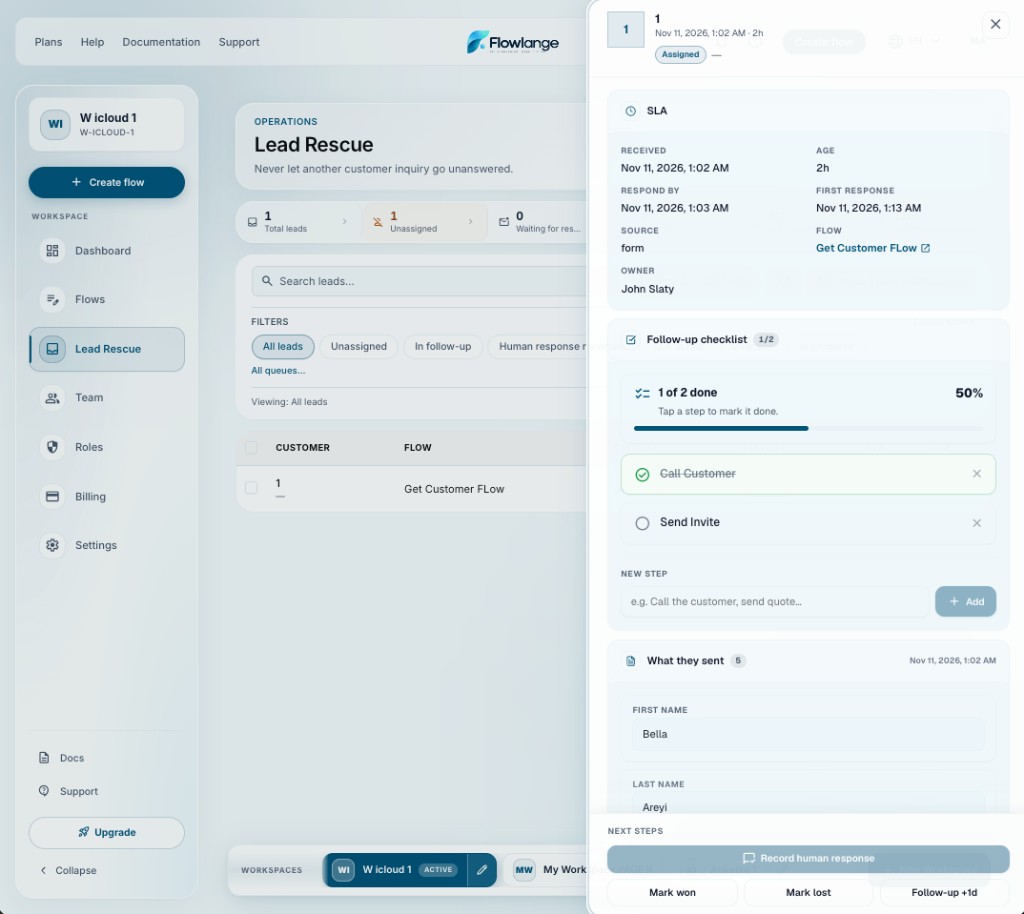
Inquiries pile up in inboxes, spreadsheets, and chat threads. Without ownership and a deadline, promising leads go cold before anyone notices.
Lead Rescue turns every submission into a tracked record with assignment, SLA, escalation, and analytics — without bolting on another CRM.
Lead Rescue
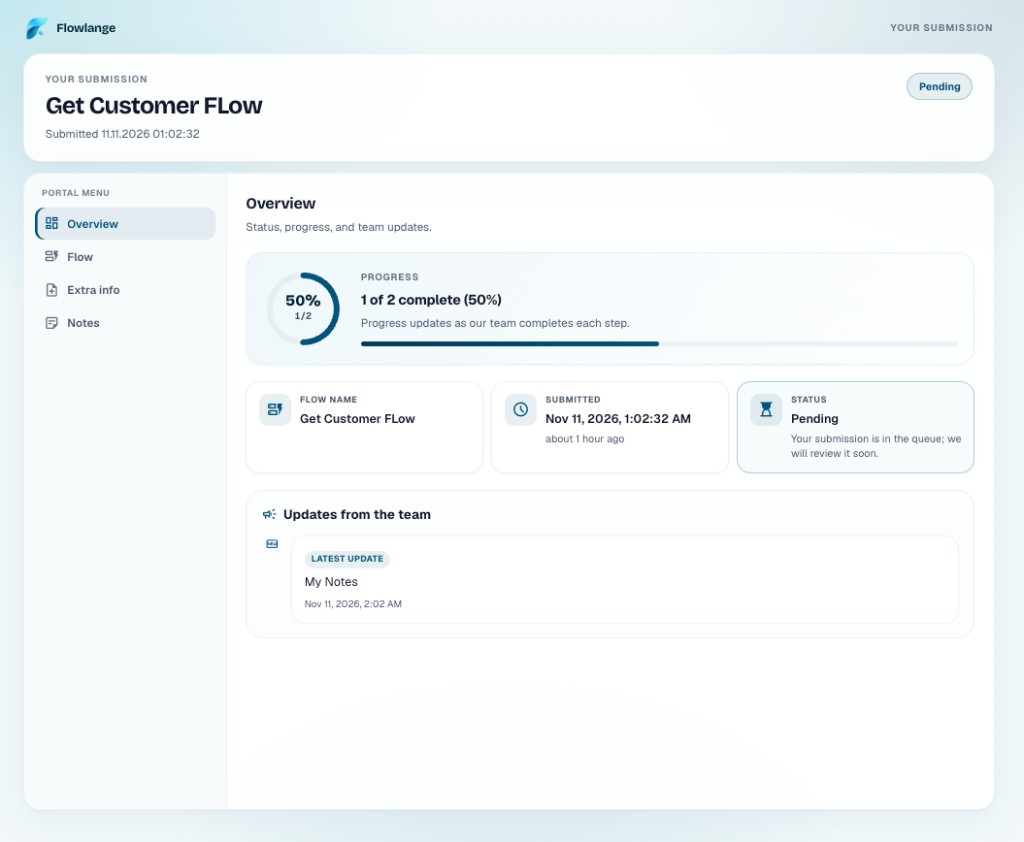
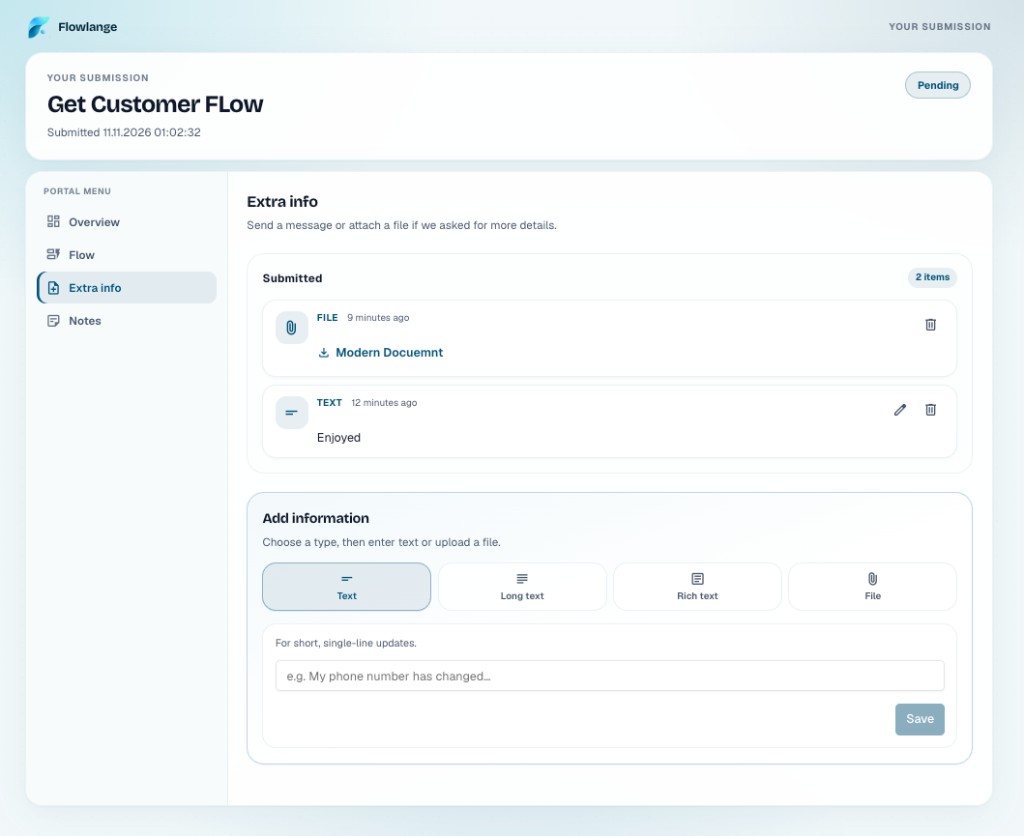
Real UI screenshots — inbox, submission page, and extra info.
Lead Rescue
Capture, deadlines, human reply, portal, and checklists — without bolting on another CRM.
Unassigned, waiting for response, SLA at risk, and overdue — in one workspace-wide view.
Countdown from submission, warnings before breach, and escalation when follow-up slips.
Automatic acknowledgement is not a human response — your team confirms when they reply.
Share one link so respondents see progress, send files, and leave notes—visible in your response detail.
Shared steps on every lead and response—in the inbox, flow detail, and on the respondent overview.
Workflow
Enable Lead Rescue on any flow. Each submission becomes a lead with SLA tracking, assignment, and a workspace inbox your team can act on.
Lead Rescue · Submission page
Lead Rescue runs operations; the personal submission page builds trust and visibility.
Your team
Respondent
One click creates a flow with starter fields and Lead Rescue SLA already enabled.
No. Lead Rescue sits on top of your flows and workspace inbox — you keep one operational home in Flowlange.
Auto-replies and acknowledgement emails do not stop the clock. A teammate records when they personally replied.
Enable workspace defaults in Settings, then enable Lead Rescue on each capture flow — or start from a Lead Rescue template.
Keep exploring
Build the flow once. Let Flowlange handle what happens next.